
- Open excel.
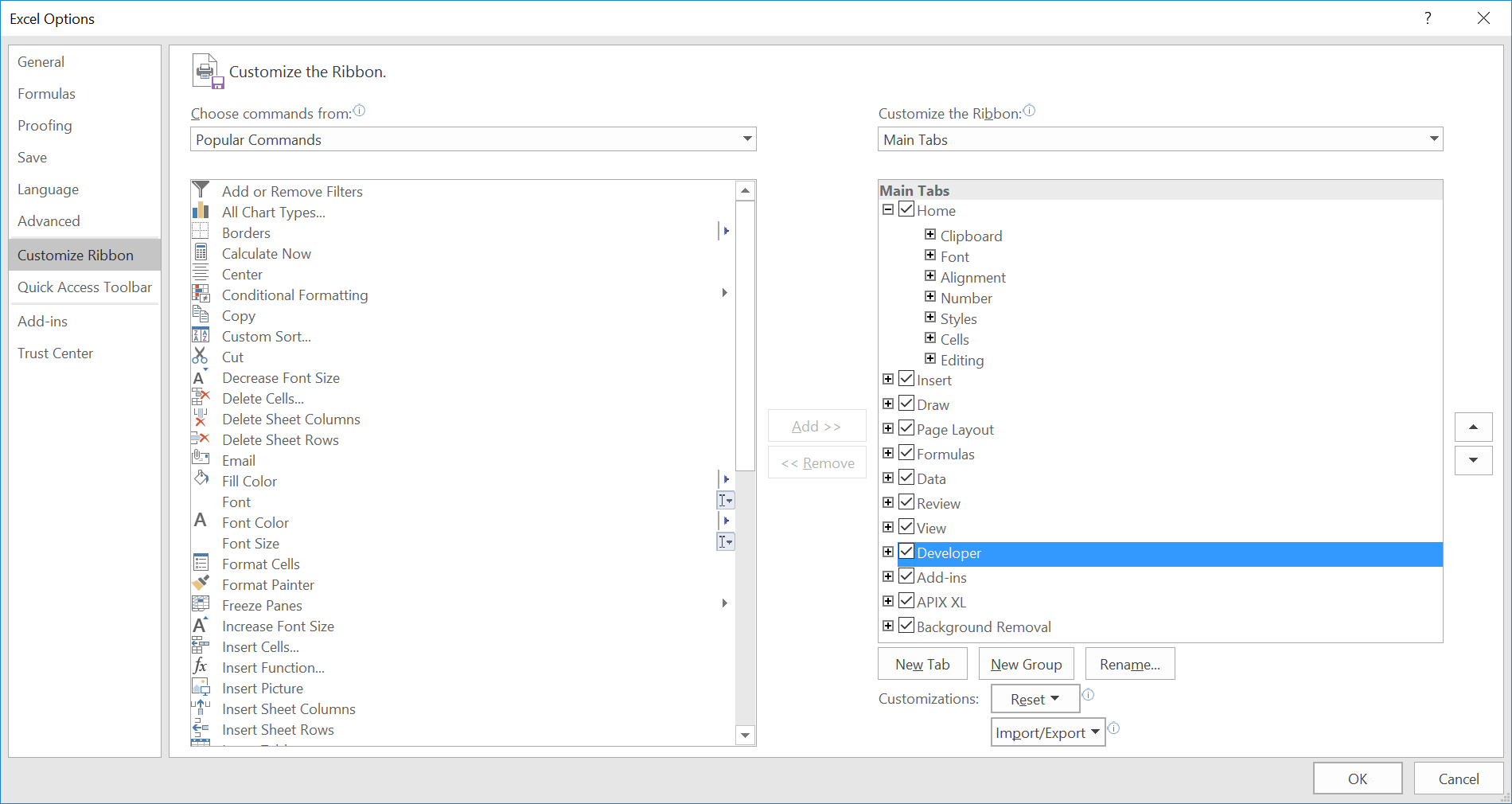
- If you don't see developer tab in excel ribbon, navigate to Excel->File-Options->Customize Ribbon->Check developer tab on right.
- Navigate to Excel->File-Trust Center->Trust Center Settings->Macro Settings->Check the checkbox "Trust access to VBA project object model".
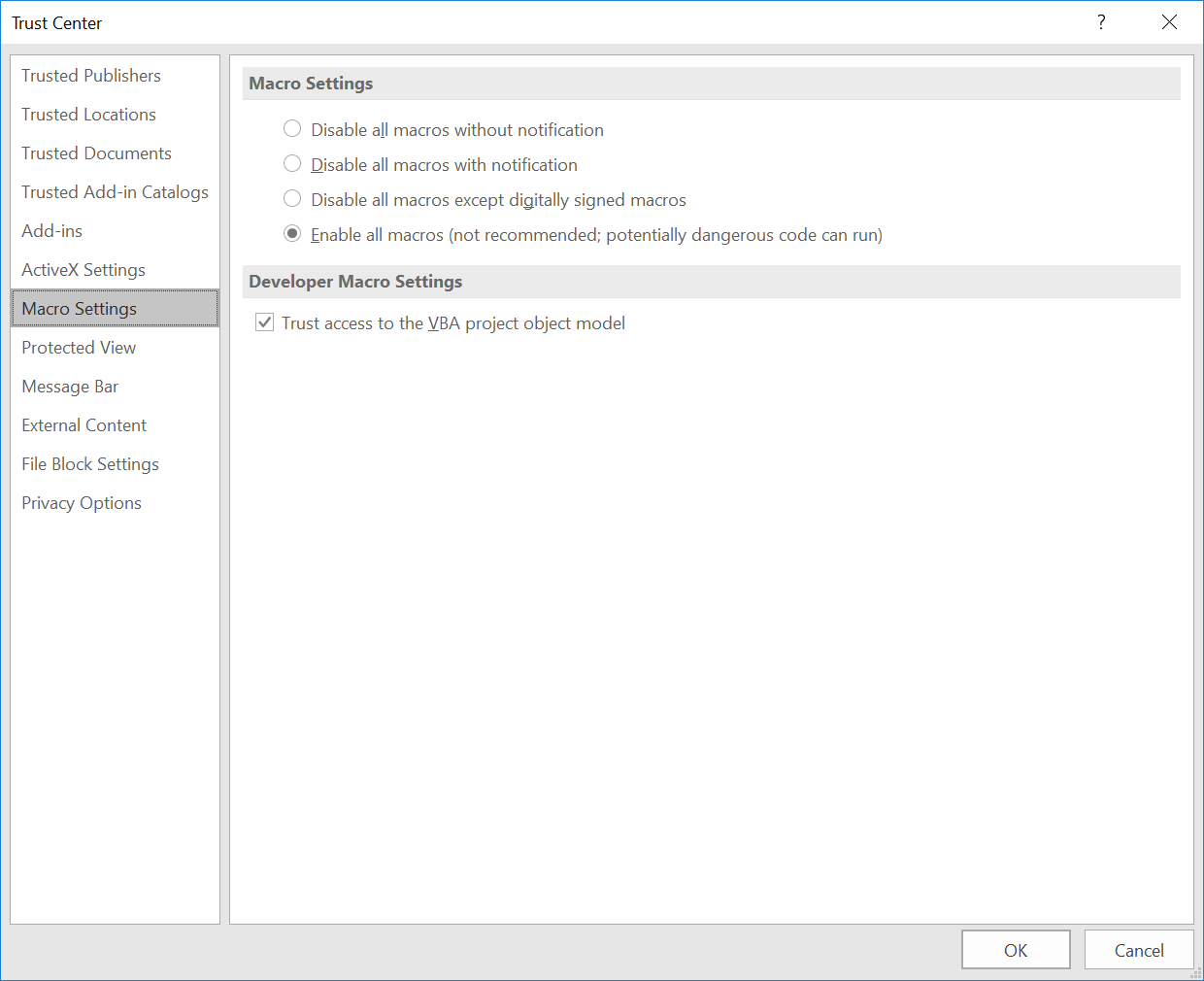
This setting can also be controlled using the following registry setting:
"HKEY_LOCAL_MACHINE\SOFTWARE\MICROSOFT\OFFICE\{INPUT_VERSION_NUMBER}\Excel\Security\AccessVBOM
Comments
0 comments
Article is closed for comments.